Introducing Huma-2
EngineeringProduct Updates
Building a Knowledge Base that reads anything
Most knowledge bases fail at ingestion, not retrieval. Teams waste weeks converting PDFs and screenshots because systems treat format as a user problem, not an engineering one.

Venkata Deepak Reddy Medam
Updated Sep 16, 2026
11 min read
Why format shouldn't matter
Every knowledge base makes a quiet promise to the people uploading documents into it: give me whatever you have, and I will make it usable. In practice, most knowledge bases only keep half of that promise. They handle plain text reasonably well, struggle with anything visually complex, and quietly drop structure the moment a table, a diagram, or a scanned page enters the pipeline.
That gap is where most retrieval quality is lost. Not at the embedding model. Not at the vector database. At ingestion, before the model ever sees a single token.
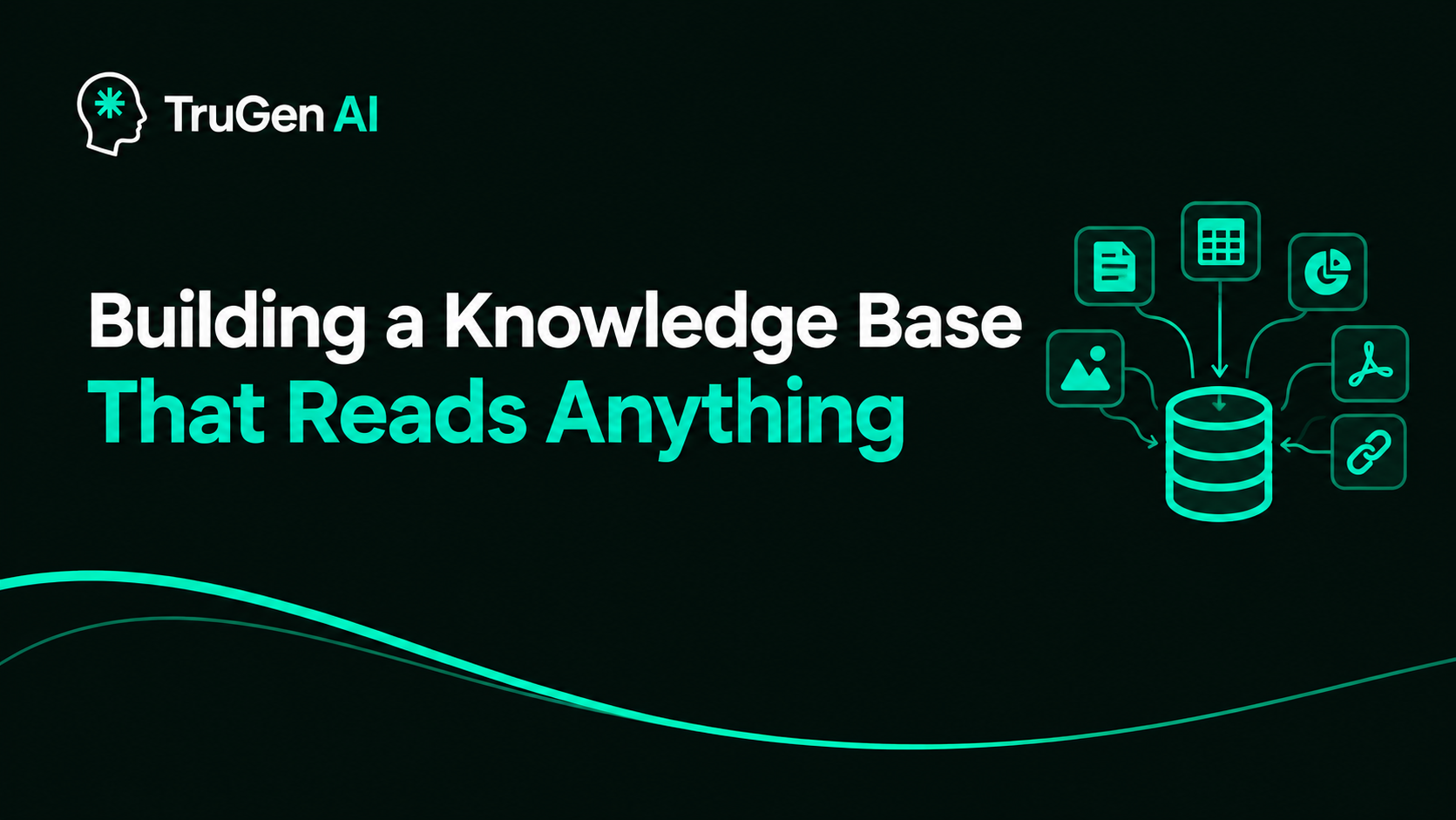
At TruGen AI, our Knowledgebase was built around a simple constraint: teams do not organize their knowledge in one format. A product spec lives in a DOCX. A pricing sheet lives in a PPTX. A support runbook is a scanned PDF nobody bothered to re-type. A policy page only exists as a live URL. If a knowledge base only accepts clean text and tidy PDFs, it is really only solving part of the problem. So we set out to build ingestion and retrieval that treats format as a detail the system should absorb, not something the user has to work around.
The format problem
Ask any team that has tried to stand up an internal knowledge base what slowed them down, and the answer is rarely the retrieval model. It is almost always the boring part: converting a messy PDF into something an embedding model can actually use, or figuring out what to do with a screenshot that contains the one number everyone needs.
Most RAG pipelines assume documents arrive as clean, digitally native text. Real organizations do not work that way. A single onboarding folder might contain a Word document, a couple of PNG screenshots of a dashboard, a JSON export from an internal tool, and a link to a wiki page. If the knowledge base cannot take all of that in without someone manually converting files first, it is not really a knowledge base. It is a text importer with extra steps. We don't want format to be a issue. Upload the file, paste the text, or drop a URL, and the system should figure out the rest.
How ingestion works
Getting there was not one feature. It was a pipeline, where every stage had to work correctly regardless of what came in the door.

Component 1: A format-agnostic parsing layer
The Knowledgebase currently accepts PDF, DOCX, DOC, TXT, PPTX, MD, JSON, PNG, JPG, and JPEG, on top of raw pasted text and URLs. That list looks simple on a marketing page. Underneath it, each format needs its own extraction logic, because each one fails differently.
A DOCX file has headings, tables, and styles encoded in its own XML structure. A PPTX file stores content per slide, often with text scattered across shapes and speaker notes rather than a single readable stream. A JSON file is not prose at all, it is structured data that needs to be flattened into something semantically meaningful without losing the relationships between keys and values. A PNG or a JPEG has no text layer at all until something reads the pixels.
Rather than force every format through one generic text extractor, we route each file type to a parser built for it, then normalize the output into a common intermediate representation before anything downstream touches it. That intermediate form keeps headings as headings, tables as tables, and lists as lists, so the structure survives the conversion instead of collapsing into a flat wall of text.
Component 2: OCR for scanned and image-based content
Text extraction only works if there is a text layer to extract. A scanned contract, a photographed whiteboard, a screenshot of a settings page, none of these have one. For PDFs that are scanned rather than digitally generated, and for PNG, JPG, and JPEG uploads directly, the pipeline runs OCR before anything else happens. The OCR stage reads the visual layout, not just the characters, so a table in a scanned page is still recognized as a table, and text that runs in columns is not silently interleaved into nonsense.
This matters more than it sounds like it should. A support team's most valuable documents are frequently the least digitally clean ones: an old policy PDF that was scanned once in 2019 and never touched again, or a screenshot someone took because copying the text out of a legacy tool was harder than taking a picture of it. If OCR is an afterthought, that entire category of knowledge quietly disappears from the system.
Component 3: URL ingestion with single-page and multi-page crawling
Not all knowledge lives in a file. A lot of it lives on a webpage that nobody exported to PDF. The Knowledgebase can ingest a URL two ways. Point it at a single page, and it scrapes and indexes that page. Point it at a site, and it can crawl the linked sub-pages under that domain and bring the whole set in as one connected source. Under the hood, this reuses the same parsing and OCR pipeline as file uploads, so a webpage with an embedded scanned image is handled the same way a scanned PDF would be. The source type changes. The quality bar on the output does not.
Component 4: Parallel processing for instant indexing
The slowest version of this pipeline would be one where parsing, cleaning, embedding, and indexing happen one after another, one document at a time. That is fine for a handful of files. It falls apart the moment someone uploads a folder of a hundred documents and expects to start querying them a minute later.
We run parsing, OCR, text cleaning, chunking, embedding, and indexing as parallel stages rather than a strict sequence. A document does not wait for one stage to fully finish before the next one starts, and multiple documents move through all of these stages at the same time rather than queueing behind each other.
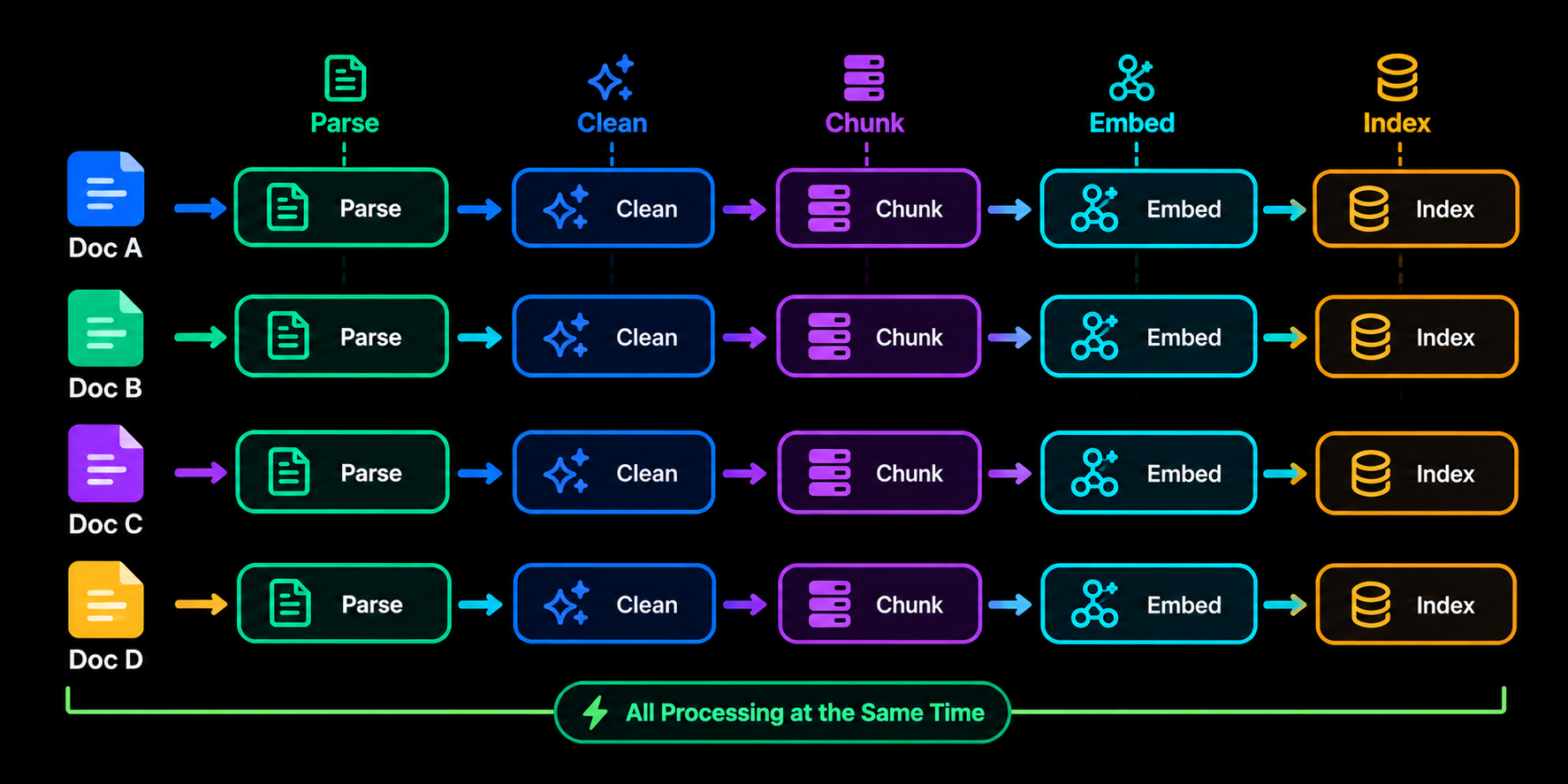
Within a single document, chunks are streamed forward as soon as they are ready. A hundred-page PDF does not sit and wait for page one hundred to finish parsing before the chunks from page one start embedding. That is what makes indexing feel instant rather than merely fast.
The practical result is that indexing feels instant from the user's side. There is no meaningful gap between "I uploaded this" and "I can ask a question about it." That responsiveness was a deliberate design goal, not a side effect, because a knowledge base that makes you wait to use what you just gave it breaks the same trust a slow retrieval query does.
Component 5: Text cleaning without losing structure
Parallel processing only helps if what gets embedded is actually clean. Raw extracted text, regardless of format, tends to carry noise: repeated headers and footers, broken line wraps, stray whitespace, boilerplate from page templates. We clean aggressively, but we clean around the structure rather than through it. Headings stay headings. Tables stay tables. Bullet and numbered lists keep their shape. Diagrams and flow-style content, where the original document expressed a process or a hierarchy visually, are preserved as structured markdown rather than being flattened into a paragraph of loosely related sentences.
This is the difference between a knowledge base that retrieves accurate words and one that retrieves accurate meaning. A table with three columns, read out of order, can say something completely different from what the original document intended. Keeping structure intact through cleaning is what keeps that from happening.
The combination of format-aware parsing, OCR, and structure-preserving cleaning is also why we can say data loss during indexing stays very low across all ten formats. The goal was never just "get the text out." It was get the text out in a shape that still means what it meant in the source document.
How retrieval works
Fast, structure-preserving ingestion solves half the problem. The other half is finding the right chunk once thousands of them exist.
Component 6: Hybrid search instead of semantic search alone
Pure semantic search is good at matching meaning, but it is not always good at matching specifics. A query that includes an exact product code, an error message, or a precise term can miss a semantically similar chunk in favour of one that is conceptually close but factually wrong, simply because embedding similarity does not weight exact term matches the way a keyword search would.
We moved the Knowledgebase to hybrid search, combining dense vector retrieval with keyword-based matching and merging the results into a single ranked set. Semantic search catches the paraphrased, conceptually related chunks. Keyword matching catches the literal terms, codes, and names that a purely semantic approach can undervalue. Together, the retrieved set is both broader and more precise than either method running alone. The measurable effect is fewer near misses. Queries that used to return a plausible but slightly wrong chunk now surface the chunk that actually contains the answer, because it no longer has to win purely on embedding distance.
Component 7: Markdown-formatted chunks built for agents
Retrieval only matters if what comes back is usable. We format every retrieved chunk as clean, readable markdown before it reaches the agent, with headings, lists, and tables intact rather than the flattened plain-text blocks a lot of RAG systems return.
This was a deliberate choice for how downstream agents behave. A model reasoning over a well-structured markdown chunk, where a table is still a table and a step-by-step list is still a numbered list, produces a more accurate and better-organized answer than a model trying to reconstruct that structure from a run-on paragraph. We are also extending this to diagrams and markdown-native diagram content, so that a process flow described visually in the source document keeps enough of its structure to remain useful once it is retrieved, rather than degrading into a caption-less blob of text.
Implementation challenges
None of this came together cleanly on the first attempt. A few problems took real iteration to solve.
Keeping ten parsers behaving consistently
Every format has its own quirks, and it is tempting to let each parser output whatever shape is easiest for that format. We resisted that. Every parser, regardless of input type, has to converge on the same intermediate structure before cleaning and chunking happen. That consistency is what let hybrid search and markdown chunking work the same way across a JSON file, a scanned PDF, and a crawled webpage, instead of needing special-case logic per source type further down the pipeline.
OCR accuracy versus speed
Running full OCR on every image and every scanned page is expensive if done naively. We had to tune the OCR stage to detect layout first and only run the heavier recognition passes where they were actually needed, rather than applying the same cost uniformly to a dense scanned contract and a simple screenshot with two lines of text on it. Getting that balance right was necessary to keep indexing fast without sacrificing accuracy on the documents that actually needed the extra work.
Parallelism without ordering bugs
Processing documents and chunks concurrently introduces an obvious risk: chunks finishing out of order, or a document being marked searchable before every one of its chunks has actually landed in the index. We track completion per document rather than per pipeline stage, so a document is only reported as fully indexed once every chunk it produced has been embedded and written, even though the individual chunks may have been processed in a different order than they were generated.
The results
Multi-format ingestion, OCR, and parallel processing solved the "can we get this document in" problem. Hybrid search and structured markdown chunks solved the "did we retrieve the right thing, in a shape the agent can actually use" problem. Neither one was sufficient on its own.
| Stage | Header 2 | Header 3 |
|---|---|---|
| Supported inputs | Plain text and clean PDFs | PDF, DOCX, DOC, TXT, PPTX, MD, JSON, PNG, JPG, JPEG, plus URL and raw text |
| Scanned or image content | Unsupported or heavily degraded | Handled through layout-aware OCR |
| Website content | Manual copy-paste | Single-page or multi-page site crawling |
| Indexing pipeline | Sequential, per document | Parsing, cleaning, embedding, and indexing run in parallel |
| Retrieval method | Semantic search only | Hybrid semantic plus keyword search |
| Retrieved chunk format | Flattened plain text | Structured, readable markdown |
The outcome is a knowledge base where the input format is no longer something a user has to think about, and where what comes back at query time is close enough to the original document's structure that an agent can reason over it the same way a person reading the source would.
That was the actual goal from the start. Not just "index anything," but index anything without losing what made it useful in the first place.
#document ingestion#rag pipeline#pdf parsing#knowledge base retrieval#multimodal processing#vector embeddings