Introducing Huma-2
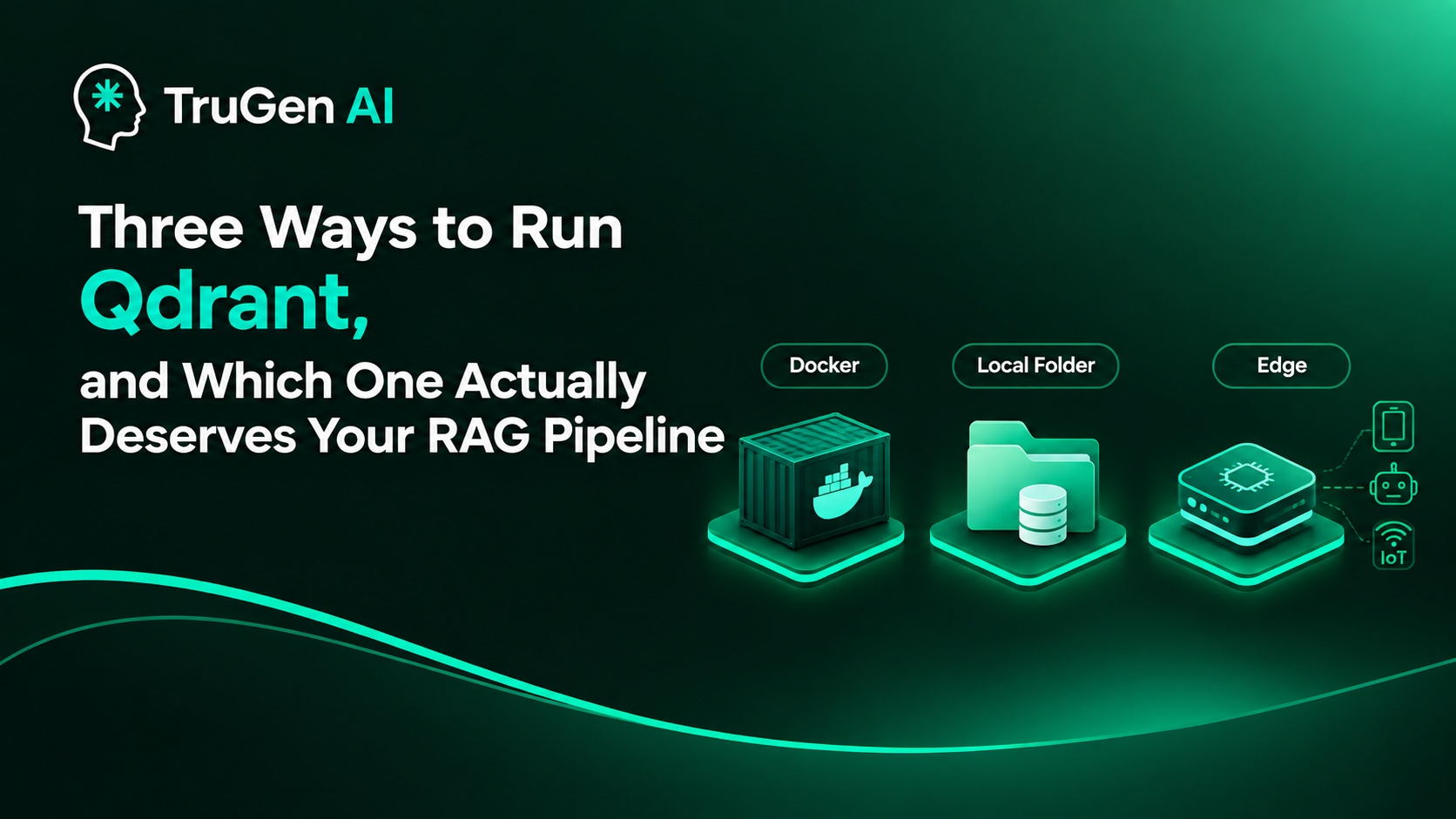
Three Ways to Run Qdrant, and Which One Actually Deserves Your RAG Pipeline
I tested all three ways to run Qdrant on identical data instead of copy-pasting the first tutorial. Docker server, local folder mode, and Edge shards have wildly different performance profiles—here's what actually broke.

Why I even bothered doing this
Every RAG tutorial on the internet tells you to do the same thing: docker run -p 6333:6333 qdrant/qdrant, wait for the container to boot, connect, done. And for a while I did exactly that too, because that's what the docs show first and nobody questions the first thing the docs show you.
Then I built a small project on my laptop that didn't need a server running in the background all the time, and I got curious. Qdrant's own client quietly ships two other ways to store your vectors that nobody really talks about outside the changelog. One lets you skip the server completely and just point at a folder. The other is brand new, built for devices that don't even have a "server" concept - phones, robots, IoT boards.
So I ran the same pipeline three ways, on the same machine, with the same data, and paid attention to what actually changes: read speed, write speed, what happens when two things try to touch the database at once, and how much the machine groans under load. This post is that experiment, written the way I'd explain it to a friend over coffee, not the way a spec sheet would.
I built everything in Python, so every example below assumes qdrant-client and a laptop that is not a supercomputer.
The three doors
Before the deep dive, here's the one-line version of each, because I wish someone had told me this on day one instead of making me find out the hard way.
- Qdrant on Docker - a real server process, talking over REST or gRPC, built to handle many people hitting it at once.
- Qdrant local mode - no server at all, just a Python process talking straight to a folder on disk (or purely in RAM), backed internally by SQLite.
- Qdrant Edge - a tiny, embeddable engine meant to live inside an app on a phone, a robot, or a kiosk, with no server and barely any footprint.
They all speak the same collection-and-vector language on the surface. Underneath, they're solving completely different problems, and that's exactly why picking the wrong one for your situation quietly ruins your week.
Door 1: Qdrant on Docker - the one that can take a beating
This is the "proper" way to run Qdrant, and once I actually loaded it up, I understood why it's the default recommendation. You spin up the container, it opens a couple of ports, and from that moment it behaves like a real database - not a script pretending to be one.
The thing that stood out to me immediately: it doesn't care how many things are talking to it at once. I had one process ingesting a folder of PDFs while another was firing search queries against the same collection, and it just... handled it. Reads and writes happened at the same time without anyone getting locked out. I could also spin up five, ten, however many collections I wanted, side by side, and query all of them independently without stepping on each other's toes.
That's the whole point of a server architecture - it's built assuming multiple clients, multiple requests, multiple collections, all fighting for attention, and its job is to referee that fight gracefully.
The price for that referee, though, is weight. Docker containers don't run for free. Even sitting idle, the Qdrant container was holding onto noticeably more memory than the other two options just to keep its internals warm - connection handling, its storage engine, background housekeeping, all of it running whether you're querying it or not. On a beefy dev machine that's a non-issue. On a small VM or a laptop already juggling a dozen other tools, you feel it.
And here's the twist that surprised me the most: for pure single-shot read speed, Docker was actually the slowest of the three in my tests. Every query has to go out over the network stack - even if it's just localhost, it's still a socket, still serialization, still a round trip - before it comes back with results. Local folder mode and Edge skip all of that because they live inside the same process asking the question. So Docker wins on concurrency and multi-collection muscle, but it's paying a small latency tax on every single read to get there.
Where it actually shines: anything with more than one user, anything where writes and reads genuinely need to happen at the same moment, anything that's going to production. If your app has a background ingestion job and a live search endpoint running side by side, this is the only one of the three that won't eventually trip over itself.
Where it's overkill: a solo notebook experiment, a quick prototype, a CI test that runs for thirty seconds and dies. Spinning up a whole container for that is like renting a warehouse to store one suitcase.
Door 2: Local folder mode - fast, but only one guest at a time
This one genuinely surprised me. I didn't expect a "no server" mode to feel this snappy. Under the hood, Qdrant's Python client can skip the server entirely and just talk to a folder on your disk directly - and that folder is, quietly, backed by SQLite for its storage layer. No ports, no container, no docker run. You point QdrantClient(path="my_folder") at a directory and it just works.
Because there's no network hop and no separate process to talk to, plain single-user reads and writes felt noticeably faster than going through Docker. It's the difference between shouting a question across the room versus just thinking it - the request never leaves your own process. For local development, iterating fast on a RAG pipeline where you're the only one poking at it, this is genuinely the most pleasant of the three to work with. You can also create as many collections as you want here too, same as Docker, so it's not limited on that front.
Here's where it gets messy, and where I actually lost about twenty minutes of my life the first time I hit it: local mode does not like being touched by two things at once. The moment I opened the same folder from a second script while the first one was still running, I got smacked with:
RuntimeError: Storage folder is already accessed by another instance of Qdrant client.
It turns out the local client drops a .lock file into that folder the second it opens it, and it refuses to let a second process open the same path until the first one closes cleanly. If your process crashes, forget it - that lock file just sits there like a stubborn houseguest, and you have to go delete it by hand before anything works again. I found entire GitHub issues and Discord threads of people going in circles over this exact thing, mostly folks building notebooks or small Gradio apps who kept restarting their script during development and kept hitting the same wall.
And it's not just "can't open twice." Even within the same process, if you fire off two read requests to the same local instance at the exact same moment, one just has to wait its turn. There's no real concurrency happening under the hood - it's fundamentally a single-guest room.
Where it actually shines: solo development, fast prototyping, notebooks, small CI test runs, anything where exactly one process is going to touch the database and you want zero setup friction. I now use this for basically all my early-stage experiments before anything touches a real server.
Where it bites you: the moment more than one process needs the same folder - a background worker plus a web server, two notebook cells running out of order, a script you forgot was still alive from ten minutes ago. That's the switch-to-server-mode signal, and the Qdrant folks say this outright in their own docs too.
Door 3: Qdrant Edge - built for places that don't even have a "server"
This is the newest of the three, and the one I was most curious about, because it's not really aimed at people like me building a laptop RAG app at all. Qdrant Edge is meant for places where the very idea of "spin up a server" doesn't make sense - a robot's onboard computer, a point-of-sale kiosk, a phone running an offline assistant, an IoT sensor doing local matching without ever phoning home.
It runs in-process, like local mode does, but it's been trimmed down hard to fit inside constrained hardware - small memory footprint, no background threads, deterministic behavior, and it's built to work fully offline, which matters a lot if you're writing something for a device that might not have reliable internet at all, like a delivery robot or a privacy-sensitive on-device assistant.
The trade-off, and it's a real one, is scope. Edge is designed around a single collection for a single, focused purpose - it's not trying to be a flexible multi-tenant database, it's trying to be the fastest, lightest possible answer to "find me the closest match to this vector, right now, on this exact device." You won't be juggling a dozen collections or serving a dozen concurrent users out of an Edge instance. That's not a bug, that's the whole design philosophy - it's a specialist tool, not a generalist one.
Where it actually shines: on-device AI that needs to work without a network connection - robotics matching sensor input against known patterns, a kiosk doing local product lookup, a mobile app doing retrieval without a round trip to a cloud vector DB. If your "server" is a Raspberry Pi bolted to a robot arm, this is the one built for you.
Where it doesn't fit: literally anything that needs to serve multiple users or manage more than one focused collection at a time. Trying to force Edge into a multi-tenant SaaS backend would be like trying to run a restaurant kitchen out of a camping stove.
The side-by-side, once the dust settled
| Qdrant on Docker | Local folder mode | Qdrant Edge | |
|---|---|---|---|
| Where it runs | Separate server process (container) | Inside your own Python process | Inside your own app process, on-device |
| Concurrent reads + writes | Yes, handles both at once | No, one guest at a time | Not built for concurrent multi-client access |
| Multiple collections | Yes, freely | Yes, freely | One collection, single focused purpose |
| Raw single-user read speed | Slower (network round trip, even on localhost) | Fast (in-process, SQLite-backed) | Fastest (in-process, minimal runtime) |
| Resource footprint | Heaviest - container overhead, background processes | Light | Lightest - built for constrained hardware |
| Best for | Production, multi-user apps, anything with concurrent writes and reads | Local development, prototyping, notebooks, CI | Mobile, robotics, IoT, offline on-device search |
| Known pain point | Setup weight, always-on resource use | .lock file conflicts, no true concurrency | Not meant for multi-user or multi-collection use |
What I'd actually tell you to do
If someone asked me today, cold, "how should I store my vectors," here's the honest answer I'd give, not the diplomatic one.
If you're building something real that more than one person or process is going to hit - a web app, an API, anything where ingestion and search need to happen at the same time - just run Docker. Don't fight it. The extra RAM it eats is a small price for not getting a .lock file error in production at 2am.
If you're still figuring out whether your RAG idea even works, stay in local folder mode as long as you can. It's fast, it's zero-config, and it'll carry you surprisingly far - right up until the moment you try to run two things against it at once, at which point it'll tell you, loudly, that it's time to graduate to a server.
And if what you're actually building lives on a device rather than in a data center - a robot, a kiosk, a phone - that's the one situation where neither of the first two options was ever really the right tool, and Edge exists specifically to fill that gap.
None of these three is "the best." They're just answering three completely different questions: "can this survive a crowd," "can this survive me hitting run twice by accident," and "can this survive living on a tiny chip with no internet." Once I stopped trying to find one winner and started matching the mode to the actual problem, picking one stopped being confusing at all.